Reddypanel
Your complete guide to getting a Reddypanel ID, understanding how the panel system works, how to log in step by step, and how to manage user accounts the right way in 2026.

What Is Reddypanel?
Reddypanel is a management-level account on the Reddybook betting platform. It is not a regular betting account that you use to place bets on cricket or play casino games. Instead, it is an account that lets you create and manage other people's betting IDs. Think of it as being an account manager for a group of users — you handle their account setup, their deposits, their withdrawals, and you can see how they are doing on the platform.
Most people who search for "Reddypanel" fall into one of two groups. The first group are agents or local distributors who want to give their friends or customers a Reddybook account — and a panel ID lets them do exactly that without going through the platform team every single time. The second group are regular bettors who have heard the word "panel" and want to understand what it means before they start using the platform.
If you are in the second group — someone who just wants to bet on IPL or play Teen Patti — you do not need a panel account at all. A standard user ID gives you full access to cricket betting, sports, casino games, UPI deposits, and withdrawals. The panel system only matters if you are managing accounts for other people.
That said, understanding how the panel system works is useful even for regular users. It explains why your betting ID came from an agent rather than directly from the platform, how your deposits get processed, and who to contact if something goes wrong at the account level.
How Is a Panel Different From a Regular Betting Account?
A regular betting account lets you place bets, deposit money, withdraw winnings, and play casino games. A panel account does all of that but also gives you a management dashboard where you can create new user IDs, add credit to user wallets, see your users' betting history, and handle withdrawal requests for everyone in your network. It is a step above the regular user experience — more responsibility, more tools, more control.
Reddypanel — Key Details at a Glance
| Account Type | Panel / Agent Account — sits above regular user accounts in the platform hierarchy |
| Who Needs It | Agents, local distributors, or anyone managing betting accounts for a group of users |
| Who Does NOT Need It | Regular bettors — a standard user ID is enough for all cricket betting and casino features |
| Main Features | Create user IDs, manage wallet balances, view betting activity, handle deposits and withdrawals |
| How to Get Access | Contact official WhatsApp support with an established user account — panel access requires approval |
| Login URL | Separate from the standard user login — confirmed by the support team when panel is approved |
| Minimum Deposit (Users) | Rs.100 for users created under your panel |
| Payment Methods Supported | UPI, Google Pay, PhonePe, Paytm, Net Banking, IMPS Bank Transfer |
| Withdrawal Processing | Same-day for verified accounts — faster for active panels with established history |
| Security Required | Strong password, OTP verification, private device only — panel credentials must never be shared |
| Support Channel | WhatsApp 24/7 — dedicated channel for panel holders with faster response |
| Responsible Use | Panel holders are accountable for all accounts they manage — 18+ only, no exceptions |
Who Should Get a Reddypanel ID
✅ Reddypanel Is Good For:
- Agents who want to create betting IDs for a group of users
- Local distributors managing accounts on behalf of others
- Experienced Reddybook users with an established, verified account in good standing
- People who want to manage deposits and withdrawals for a user network
- Those who understand the responsibility of handling other people's account access
- Anyone who has been specifically invited to become a panel holder by the platform team
✗ Reddypanel Is NOT for:
- Regular bettors who only want to bet on cricket for themselves — a standard ID is enough
- First-time users with no platform history — panel access requires an existing account
- Anyone under the age of 18 — no exceptions, no workarounds
- Users looking for a guaranteed way to make money — betting always carries risk
- Anyone who cannot commit to keeping login credentials completely private and secure
- People who are not comfortable with the accountability that comes with managing others' accounts
What Each Account Type Can Actually Do
People often confuse panel accounts with regular accounts because both let you log in and use the platform. The difference is in what you see and what you can control after you log in. This table makes it clear.
| Feature | Regular User Account | Panel Account |
|---|---|---|
| Bet on cricket and sports | ✓ Yes | ✓ Yes |
| Play casino games (Teen Patti, Roulette etc) | ✓ Yes | ✓ Yes |
| Deposit money via UPI | ✓ Yes | ✓ Yes |
| Withdraw winnings to bank | ✓ Yes | ✓ Yes |
| Create user IDs for other people | ✗ No | ✓ Yes |
| Add balance to another user's wallet | ✗ No | ✓ Yes |
| See users' betting history and activity | ✗ No | ✓ Yes |
| Handle withdrawal requests from users | ✗ No | ✓ Yes |
| Set credit limits for accounts | ✗ No | ✓ Yes |
| Suspend or reactivate user accounts | ✗ No | ✓ Yes |
| View profit and loss reports across network | ✗ No | ✓ Yes |
| Access dedicated panel support channel | ✗ No | ✓ Priority access |
Everything a Reddypanel Account Can Do
Create User IDs Instantly
Generate new betting accounts for players in your network from the panel dashboard. No need to go through the platform team every time — you can create IDs directly and share them with your users.
Add Money to User Wallets
When a user in your network makes a deposit, you receive it and credit their account. You control the flow of funds within your panel and keep clear records of every transaction you process.
See How Users Are Betting
View real-time summaries of what your users are betting on, their win and loss records, and their overall account health. This helps you spot problems early and manage your network better.
Full Account Administration
Reset passwords, suspend accounts temporarily, reactivate blocked accounts, and update contact information for any user under your panel — all without waiting for platform-level support.
Profit and Loss Reports
Access detailed P&L summaries across your entire network over any time period. Useful for understanding how your panel is performing and where most of the activity is concentrated.
Alerts for User Activity
Get notified when users request deposits, make withdrawal requests, or trigger security flags. Stay on top of your network without having to check in manually all the time.
What the Reddypanel Dashboard Looks Like
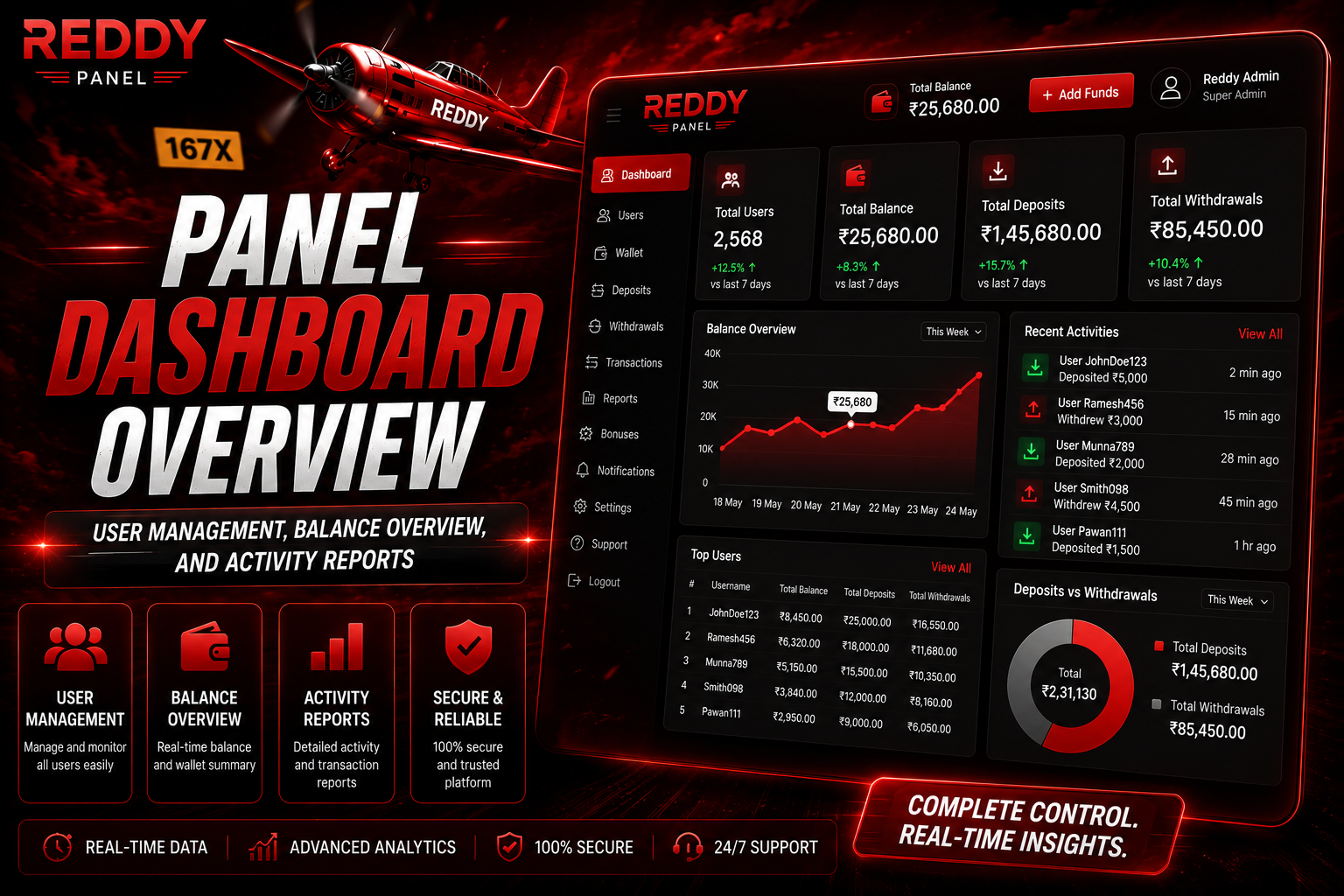
Panel Dashboard Overview
See all user accounts, balances, and recent activity in one place — replace with your own image before publishing.
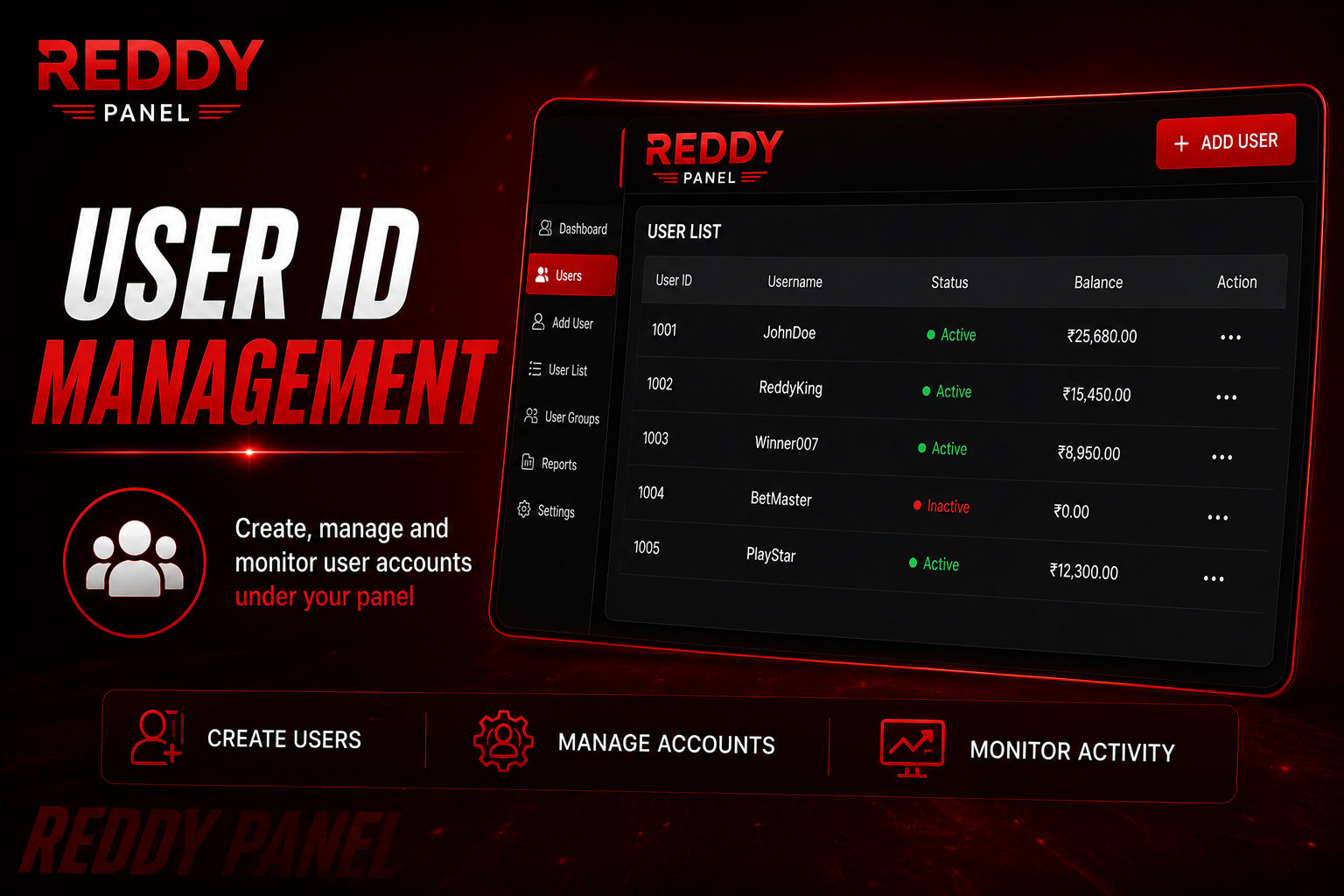
Create New User IDs
Generate accounts for your users instantly from within the panel interface — replace with your own image.
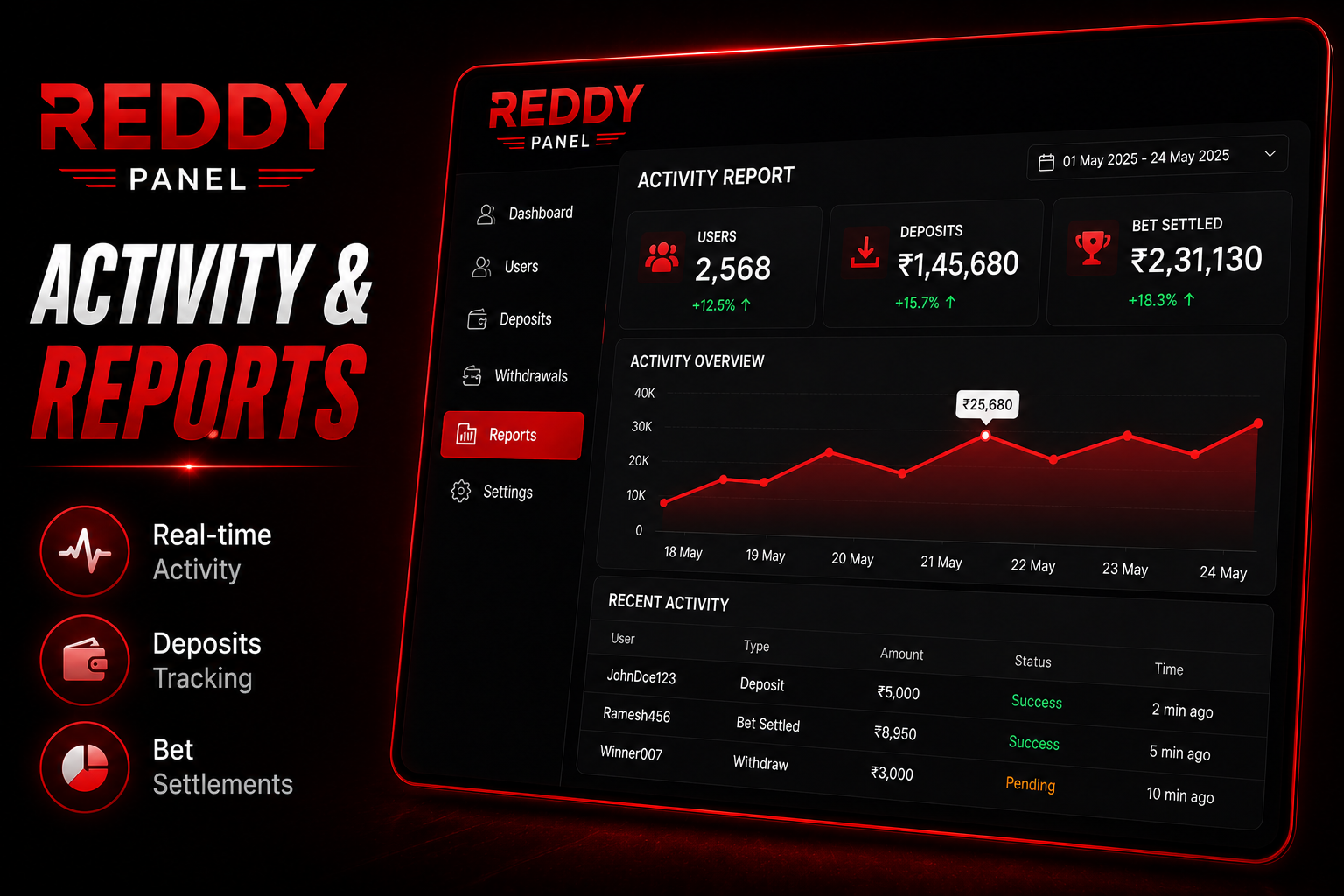
Reports and Activity Logs
Real-time P&L data and activity logs across your entire network — replace with your own image before publishing.
How to Get Your Reddypanel ID
Panel access is not automatic. You need to apply for it through the official support team, and you need an existing account on the platform before the conversation even starts. Here is exactly how the process works from beginning to end.
Make Sure You Already Have a Regular User Account
The platform does not give panel access to new or unverified users. You need an existing Reddybook user account that is active, fully verified, and in good standing — meaning no pending disputes, no flagged activity, and at least some history on the platform. If you do not have a user account yet, create one first through the official WhatsApp number or website and use it for a while before asking about panel access.
Message the Official WhatsApp Support Team
Contact the official Reddybook WhatsApp number and tell them you are interested in becoming a panel holder. Explain how many users you plan to manage and what your relationship with them is. Be straightforward — the team will ask follow-up questions and the more clearly you explain your situation, the faster the review process goes. Do not approach third parties or unofficial channels claiming to offer panel access.
Go Through the Panel Verification Process
Panel verification is more thorough than standard user verification because you will be handling other people's money and accounts. Be prepared to confirm your identity and share your existing account history. The exact requirements vary depending on the size of the network you plan to manage, but the support team will walk you through everything step by step. There is no shortcut for this part.
Receive Your Panel ID, Login URL and Dashboard Access
Once your application is approved, the support team will share your unique panel ID, the panel login URL, and an initial password. Log in immediately, change the password to something strong and personal, and spend some time exploring the dashboard before you start creating user accounts. The tools are straightforward but it is worth understanding the layout before you start making changes that affect real accounts.
Start Building Your User Network
With panel access active, you can begin creating user IDs for the people in your network. Each user you create is assigned to your panel — their deposits and withdrawal requests come to you, and you are responsible for managing their account within the terms agreed with the platform. Start with a small number of users, get comfortable with the workflow, and expand your network gradually as you build confidence with the tools.
How to Log Into the Reddypanel Dashboard
Logging into the panel is a slightly different process from logging into a regular user account. The login page is different, the interface that loads after authentication is different, and the security requirements are stricter. Here is exactly what to do each time you need to access your panel.
Open the Official Panel Login URL in Your Browser
The panel login page is a different URL from the standard user login page. Type it directly into your browser address bar — do not bookmark a link someone else shared with you and do not click links forwarded in chat messages. If you have forgotten the correct panel URL, message the official WhatsApp support team who will confirm it for you. Using the wrong URL means you are either on the wrong page or potentially on a fake site designed to steal your credentials.
Enter Your Panel ID — Not Your User ID
Your panel ID is a different credential from your regular Reddybook user ID. It was assigned to you specifically when your panel account was approved. Enter it exactly as provided — copy and paste from a secure saved location rather than typing from memory, as even a single character error will cause a login failure. Panel IDs are typically alphanumeric and may be case-sensitive depending on the format used for your account tier.
Enter Your Panel Password
Use the strong, unique password you set for your panel account. Panel passwords need to be stronger than regular user passwords — you are protecting access to multiple users' funds and data, not just your own. If you were given a temporary password when the account was first set up and you have not changed it yet, do that immediately after this login. A temporary password should never be used for longer than the first session.
Review the Dashboard Before Making Any Changes
After authentication, your panel dashboard loads. You will see a summary of all user accounts under your panel, their current balances, pending deposit and withdrawal requests, and recent activity. Before you do anything — especially if you have just received a new panel — spend a few minutes reviewing the layout and understanding where everything is. Panel actions affect real accounts and real money, and some actions cannot be undone instantly once triggered.
What We Found When We Tested the Panel System
To give you a clearer picture of how Reddypanel actually works, we went through the panel account process and tested the key areas that matter most for someone considering panel-level access. Here is what we found across each area.
Getting Panel Access — Straightforward But Not Instant
The application process is clearly explained by the support team when you make contact. You need an existing verified account, you need to explain your intended use, and you go through a basic identity check. It is not complicated but it does take a little time — do not expect to get panel access on the same day you first ask. That said, once approved the credentials arrive quickly and the login process itself is simple.
Panel Dashboard — Clean and Easy to Navigate
The dashboard interface is organised well. User accounts are listed clearly with their current status and balance. Creating a new user ID takes only a few clicks. The reports section gives you the activity data you need without burying it in complicated menus. For someone managing a moderate-sized network, the tools available are more than sufficient without being overwhelming.
Deposits and Withdrawals — Quick When Details Are Correct
Payment processing for users under a panel works smoothly when account details are correct and verification is complete. The most common delays we came across were from mismatched payment details — the name or UPI ID not matching the registered account. Getting verification right upfront saves a lot of back-and-forth later. UPI is the fastest method for both sides of the transaction.
Support for Panel Holders — Noticeably Faster
Panel holders do get faster support response than regular users. When we contacted the WhatsApp team with panel-related questions, responses came through more quickly and the answers were more specific to the panel tools rather than generic platform guidance. This makes sense — panel holders are managing multiple accounts and slow support response would affect more than just one user.
Security — Good, But Only If You Follow the Rules
The platform-side security for panel accounts is solid. What varies is what happens on the user side. Panel holders who use weak passwords, share credentials, or access the dashboard from public devices are the main source of panel account issues. The tools to stay secure are there — the responsibility for using them sits entirely with the panel holder.
Panel Account Security — Non-Negotiable Rules
A regular user account security breach affects one person — you. A panel account breach can affect every user in your network simultaneously. This is why panel security is not just about protecting yourself — it is about protecting every person whose account you manage. These rules are not suggestions.
Use the Strongest Password You Have Ever Created
Long, completely unique, never reused from any other account. Mix uppercase letters, lowercase letters, numbers, and symbols. Use a password manager if that helps you create and store something properly complex. A weak panel password is not just a personal risk — it is a risk to every account under your management.
Never Share Your Panel Login Credentials — With Anyone
This means friends, colleagues, family, and anyone claiming to be from platform support. Real support agents do not need your panel password to help you — they have their own internal tools. If someone asks for your panel credentials for any reason, that is a scam attempt. Ignore it and report it to the official support team immediately.
Only Log Into the Panel From Your Own Private Device
Never from a shared computer, a borrowed phone, a work device used by others, or any public network. The panel dashboard should only ever be opened on a device that belongs exclusively to you, with a screen lock enabled, on your own home or mobile data connection.
Always Log Out Completely at the End of Every Session
Closing the browser tab is not the same as logging out. Every time you finish using the panel dashboard, click the proper Logout button. An active panel session left on any device — even your own at home — is a real risk if someone else picks the device up while you are not around.
Report Any Suspicious Activity the Moment You See It
A user ID you do not remember creating. A balance change you did not make. A withdrawal request from an account that should be inactive. Any of these are signals to contact platform support immediately — not after you think about it, not the next morning. Panel-level issues can spread across multiple accounts very quickly and speed of response matters enormously.
Reddypanel — Every Question Answered
What is Reddypanel and is it different from a regular Reddybook account?
Yes, it is completely different. A regular Reddybook user account lets you place bets on cricket, deposit money, withdraw winnings, and play casino games. A Reddypanel account does all of that but also gives you a separate management dashboard where you can create user IDs for other people, manage their wallet balances, see their betting history, and handle their deposit and withdrawal requests. Panel accounts are for agents and account managers — not for individual bettors.
Do I need a panel account if I just want to bet on cricket?
No. If you want to bet on IPL, place bets on international cricket, play Teen Patti, or use any other feature on the platform for yourself, a standard user account is everything you need. Panel accounts add management tools on top of the regular experience but they are not required for personal betting. Save the panel application for if and when you genuinely need to manage accounts for other people.
How do I get a Reddypanel ID?
Start by making sure you have a regular Reddybook user account that is active and verified. Then message the official WhatsApp support team and explain that you are interested in panel access. Describe how many users you plan to manage and why. The team will assess your application, walk you through the verification requirements, and if approved, share your panel ID, login URL, and initial credentials. The process takes a few days in most cases — it is not instant.
Is the panel login page the same as the regular Reddybook login?
No. The panel login is at a different URL from the standard user login. When your panel account is approved, the support team will give you the correct URL for the panel login page. Always type this URL directly into your browser yourself — never use a link that has been forwarded to you, even from someone you know. If you ever forget the panel URL, WhatsApp support can confirm it for you.
Can I still bet on sports and casino games with a panel account?
Yes. Panel accounts include all the features of a standard user account. You can still place your own bets on cricket, football, kabaddi, or any other sport, and you can still access Teen Patti, roulette, blackjack, and all the casino games. The panel dashboard is an additional layer on top of your regular account access — it does not replace it.
What payment methods work for users under my panel?
Users in your panel network can deposit using UPI (Google Pay, PhonePe, Paytm), net banking from any major Indian bank, and IMPS bank transfer. UPI is the fastest for both deposits and withdrawals and is the most commonly used method. As the panel holder, you receive the funds and credit user accounts — so it is important that your own payment details are correct and verified before you start onboarding users.
How many users can I manage under one panel?
The capacity limit depends on the panel tier assigned to you when your account is approved. Different tiers have different limits. When your panel is created, the support team will confirm the maximum number of user accounts your panel can manage at one time. If your network grows beyond that limit, you can contact support to discuss whether an upgrade to a higher tier is possible.
What do I do if I forget my Reddypanel password?
Contact the official WhatsApp support team immediately with your panel ID and your registered mobile number. Panel password recovery requires stronger identity verification than regular user recovery — because of the level of access involved — so be ready to confirm your identity clearly. Act quickly if you are locked out because it affects your ability to manage all the accounts in your network, not just your own access.
Can I lose my panel access?
Yes. Panel access can be suspended or permanently revoked if you violate the platform's terms, mishandle user funds, use the panel to create accounts for underage users, share your credentials with unauthorised people, or engage in any activity that the platform determines to be harmful or fraudulent. Panel access is a privilege that comes with accountability — it is maintained by behaving responsibly every day, not just when you think someone is watching.
Related Guides
Ready to Apply for a Reddypanel ID?
Talk to the support team on WhatsApp. Tell them about your network, how many users you plan to manage, and they will guide you through the rest. Panel access is available for verified, established account holders.